
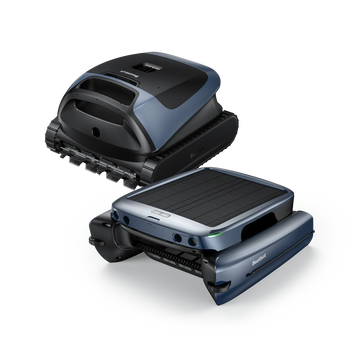
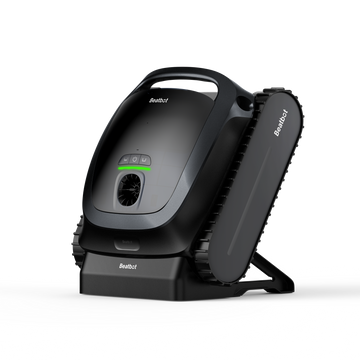
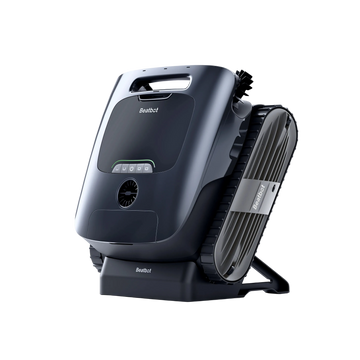
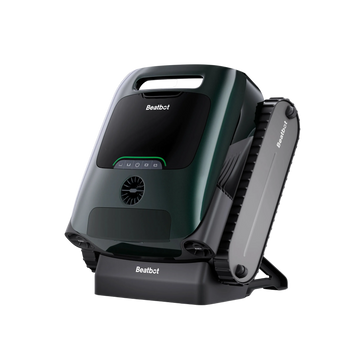
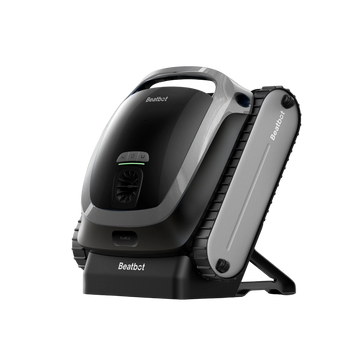

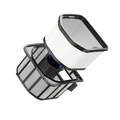
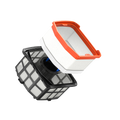
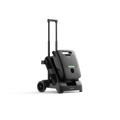









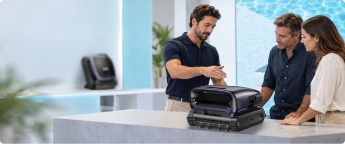


A robotic pool cleaner can make keeping your pool clean much easier, but there are a few things worth knowing when you first start using one. How often should you empty the debris basket? Is it okay to leave the robot in the pool overnight? And where should you store it between cleaning sessions? Getting familiar with a few simple habits can help you get the most out of your cleaner and keep it ready for the next run.
What to Check Before Using a Robotic Pool Cleaner
Your pool's shape, water depth, and layout are worth considering before the first cleaning cycle. These details help you understand which areas your robot can reach and what kind of cleaning coverage you can expect.
Check Your Pool Surface and Layout
Beatbot cordless robotic pool cleaners are designed for common pool surfaces, including concrete, ceramic tile, vinyl, and fiberglass. For most pool owners with these surfaces, material compatibility isn't something that needs much attention.
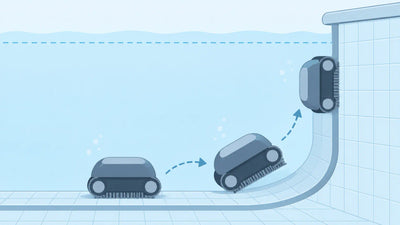
Pool layout can make a bigger difference. A straightforward rectangular pool is generally easier to navigate than one with curved corners, built-in steps, benches, or shallow lounging areas. Different Beatbot models offer different levels of coverage, so it's worth considering these features when choosing a cleaning mode or setting expectations for the first few runs.
Shallow shelves and tanning ledges can be tricky areas for a robotic pool cleaner. A robot might move around the deeper part of your pool without any trouble but have different results on a shallow platform. If your pool has one of these features, the minimum operating depth and shallow-water capabilities of your model are worth considering.
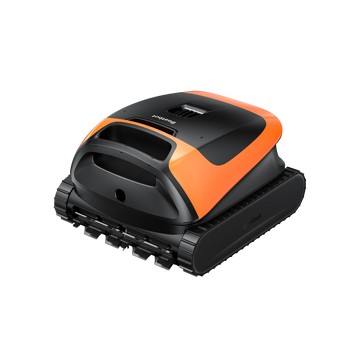
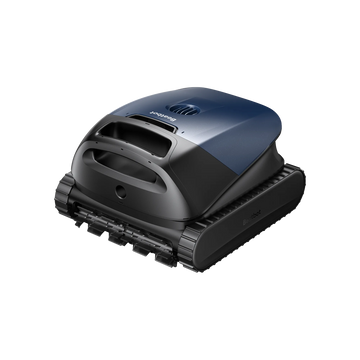
The Beatbot Sora 70 and Sora 30 can both clean shallow platforms with a minimum area of 3.3 × 3.3 ft (1 × 1 m), provided the water is at least 8 inches (20 cm) deep. The Sora 70 supports a maximum operating depth of 11.5 ft (3.5 m), while the Sora 30 supports up to 9.8 ft (3 m).
The newer Beatbot AquaSense 3 also introduces dedicated Shallow Platform Mode, allowing it to clean compatible shallow platforms in water as shallow as 18 cm (7 inches). It uses two downward-facing ultrasonic sensors to detect platform edges and changes in water depth, helping the robot navigate shallow areas without dropping off the ledge. Platform compatibility depends on its dimensions, slope, and edge configuration.
The Beatbot Sora Neo R, on the other hand, is designed primarily for above-ground pools and compatible flat-bottom in-ground pools. It has a minimum operating water depth of 30 cm (11.8 inches), but its published specifications do not currently confirm shallow-platform or tanning-ledge cleaning capabilities.
If this is your first pool robot, the first-time pool robot setup guide offers a useful introduction to getting started and what to expect from your first cleaning sessions.
Clear Away Anything That Could Get in the Way
Pool toys, floating ropes, and loose cleaning accessories can sometimes find their way into a robot's path. These objects may get caught around the brushes or tracks, so a quick look around the pool before starting can save an interrupted cleaning cycle.
Large leaves and branches are another thing to consider. A robotic pool cleaner can collect plenty of everyday debris, but a heavy pile of leaves may fill its filter basket faster than usual. If your pool has been particularly messy after a windy day, removing some of the larger debris with a pool net can give the robot more room to work.
Pool drains and raised fittings can also affect how a robot moves. If your robotic pool cleaner gets stuck during a cleaning cycle, simply move it to another area of the pool so it can continue cleaning.
Give the Robot a Quick Look Before Starting
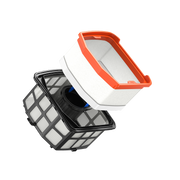
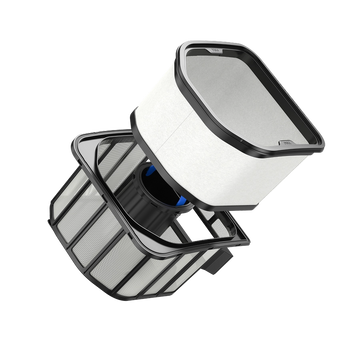
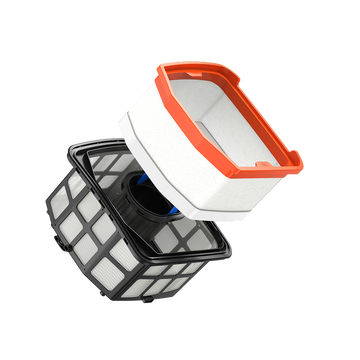
Before a cleaning session, it's worth taking a quick look at the filter basket and brushes. Any leaves or hair left over from the previous run can reduce the space available for new debris, while a properly fitted basket helps the cleaner work as intended.
A pool cleaning cycle can take several hours, so it's a good idea to make sure your robot has enough battery power before starting. This helps it keep running throughout the cleaning session without needing an unexpected recharge.
Pool water conditions are worth keeping in mind, too. If you've recently shocked the pool or added a large amount of chemicals, the water may need some time to return to the recommended range before the next cleaning session.
Get to Know How Your Robot Moves During Its First Few Runs
The first few cleaning cycles are a good opportunity to see how your robot handles your particular pool. You'll start to notice which areas it reaches easily, how it moves around steps and corners, and whether certain spots need a little extra attention.
Notice Where Your Robot Has Trouble Moving
Steps, ladders, drains, and changes in pool depth can all affect how a robotic cleaner moves. Some robots handle these features quite easily, while others may need a little more room or struggle with certain transitions.
If your robot pauses or gets stuck in the same place, it doesn't necessarily mean something is wrong with it. The pool layout or an object in its path may simply be making that area difficult to navigate.
After a few runs, you'll have a better idea of how your cleaner handles these spots. This is also a good time to see whether moving a loose object or adjusting something around the pool makes a difference.
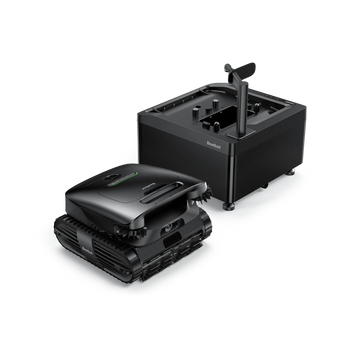
For a more advanced approach, the Beatbot AquaSense 2 Ultra uses HybridSense® AI Pool Mapping to understand your pool's layout. Its AI camera works alongside infrared and ultrasonic sensors to map different areas, including curved steps, slopes, and elevated platforms. It can also detect certain types of debris, such as leaves, on the pool floor and adjust its cleaning path to spend more time in areas where debris has collected. You can even view the pool map and cleaning path in the Beatbot app after a cleaning session.
See How Much of Your Pool It Covers
Once a cleaning cycle is finished, it's interesting to see which parts of the pool received the most attention. Take a look at the floor, walls, corners, and waterline to get a better sense of the robot's coverage.
Pool shape plays a part here. A robot may move through an open section of the pool quite easily but spend less time around narrow corners or unusual features. Some areas may also collect more dirt than others, depending on water circulation and where debris tends to settle.
The way a robotic pool cleaner moves around your pool depends on how its sensors, navigation system, and cleaning mechanisms work together. Beatbot uses different technologies to help its robots navigate the pool and cover different cleaning areas.
Choose a Cleaning Mode That Matches Your Pool
If a particular area of your pool needs extra attention, you can choose a cleaning mode that focuses on that spot. For example, Floor Mode is useful when dirt and debris have settled at the bottom, while Standard Mode cleans the floor, walls, and waterline in one cycle.
Beatbot offers different cleaning modes depending on the model. The Sora 30 includes Floor, Standard, and Eco modes, while the Sora 70 adds Water Surface Mode for floating leaves and insects, along with Pro Mode for cleaning the pool from the water surface down to the floor. The newer Sora Neo R also offers Floor and Standard modes for everyday cleaning.
For more targeted cleaning, the AquaSense 2 Ultra features AI Quick Mode, which identifies debris and focuses on areas that need attention. The newer AquaSense 3 offers AI Quick Clean for visible debris on the pool floor, plus a dedicated Shallow Platform Mode for compatible tanning ledges and shallow areas.
A Few Things to Keep in Mind While Your Pool Robot Is Running
Cordless pool robots are convenient because there's no power cable trailing through the water, but there are still a few things worth considering while the cleaner is working. Swimming schedules, loose objects, and the robot's movement around the pool all play a part in making each cleaning session go smoothly.
Can You Swim While a Pool Robot Is Running?
Most pool owners find it easier to run their cleaner when nobody is swimming. This gives the robot the whole pool to move around and avoids swimmers getting in its way.
Although cordless models don't have a cable to worry about, they still have moving brushes, tracks, and other mechanical parts. Keeping cleaning time separate from swimming time is a simple way to avoid unnecessary contact with the machine.
Once the cycle is finished and the robot has been retrieved, the pool is ready for its next use, following the manufacturer's safety instructions.
Give the Robot Room to Move
A pool robot needs a reasonably clear path to move around and clean effectively. Floating toys, loose ropes, and other objects can sometimes interrupt its route or get caught around the moving parts.
This is particularly noticeable in smaller pools where there's less open space. If your robot seems to spend a lot of time navigating around objects, a little more room can help it move through the pool more freely.
When Is It Worth Restarting a Cleaning Cycle?
Sometimes a robot may finish a cycle while a few areas still have visible dirt. This can happen after heavy leaf fall, a windy day, or when the pool hasn't been cleaned for a while.
Rather than assuming the robot hasn't worked properly, consider how much debris was in the pool to begin with. A second cycle may be useful when the filter still has room, particularly after an unusually messy day. If the basket is already full, emptying it first gives the cleaner a better chance of collecting more debris.
Should You Leave a Robotic Pool Cleaner in the Pool?
It's easy to see why some pool owners leave their robot in the water after a cleaning session. It saves a little effort, especially when the next run is only a day away. Still, taking the cleaner out between sessions is generally a better long-term habit.
Can You Leave a Pool Robot in the Water Overnight?
Leaving a pool robot in the water overnight occasionally is different from keeping it submerged all the time. However, regular removal gives you a chance to rinse away pool residue, empty the filter basket, and check that everything is ready for the next run.
Pool water contains chlorine, salt, and other chemicals that can gradually affect some materials when equipment stays submerged for extended periods. Even when a cleaner is designed for underwater use, its normal cleaning cycle and long-term storage conditions aren't necessarily the same thing.
For everyday use, taking your Beatbot cleaner out once its cycle is complete is a straightforward way to look after it without adding much extra work to your routine.
What If You Leave the Robot in the Pool for Several Days?
If you're using the pool every day, leaving the robot in the water between sessions might seem like the easiest option. The downside is that you miss the opportunity to empty its filter and see whether leaves or hair have collected around the brushes.
During warmer months, pool water conditions can also change, and a cleaner left submerged won't get the occasional rinse or inspection it would normally receive after a run.
Taking it out after cleaning doesn't need to become a complicated routine. Empty the basket, give the accessible parts a quick look, and find a shaded spot for the robot until it's needed again.
What About Leaving It While You're on Vacation?
Going away for a few days raises a slightly different question, particularly if your pool has an automatic cleaning schedule. If nobody will be around to check the robot, storing it before you leave is generally the simpler option.
A quick clean before a trip also means you won't return to a filter basket full of old leaves or debris. For cordless models, the battery storage instructions are worth checking if the robot won't be used for an extended period.
Some models offer scheduled cleaning, but it's still worth understanding the manufacturer's recommendations for unattended operation before relying on that feature while you're away.
What Should You Do After Each Cleaning Cycle?
Once the robot has finished cleaning, most of the work is already done. A quick look at the filter basket and the parts that collect debris is usually enough to get it ready for another run.
How Often Should You Clean the Filter Basket?
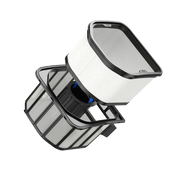
For many pool owners, emptying the filter basket after each cleaning cycle becomes a natural part of the routine. Even when the water looks clean, the robot may have collected more leaves, insects, sand, and fine debris than you expected.
How quickly the basket fills depends on your pool. A pool surrounded by trees may need attention after every run, while a sheltered pool with relatively little debris may collect much less.
On particularly messy days, the basket may fill before the cleaning cycle is over. If that happens, giving it a quick empty before another run can help the robot maintain its usual cleaning performance.
Give the Filter a Gentle Rinse
A garden hose is generally enough to rinse the filter basket. A steady stream of fresh water can remove most of the trapped dirt, including smaller particles sitting in the corners and folds.
Fine filter mesh can be more delicate than it looks, so strong water pressure isn't really necessary. A pressure washer held close to the material may damage the mesh and affect how well it filters debris later.
If some dirt is harder to remove, a soft brush may help, provided the filter instructions allow it. It's also worth looking over the basket occasionally for tears or cracks, particularly if you've been using it frequently.
Take a Look at the Brushes and Other Moving Parts
Hair, string, and long leaves can sometimes wrap around the brushes, tracks, or impeller. These are easy places to overlook because most of the debris collected during cleaning ends up in the filter basket.
A quick look underneath the robot can tell you whether anything needs removing. This is particularly useful if your pool collects long leaves or has plenty of hair and other fibrous debris.
If the robot starts making an unusual noise or seems to have less suction than before, trapped debris around the impeller is one of the things worth checking.
For a closer look at the different parts that benefit from a more thorough clean, cleaning your pool robot covers the filter basket, brushes, propellers, and other areas where debris can collect.
Where Should You Keep Your Pool Robot Between Uses?
Once your robot is out of the water, finding a suitable place to keep it is fairly straightforward. A shaded, dry spot with a little room around it is usually a good choice, particularly if you use the cleaner several times a week.
Find a Spot Away from Direct Sunlight
It's tempting to leave the robot beside the pool so it's ready whenever you need it. If that area gets direct sunlight for most of the day, though, another storage spot may be worth considering.
Sunlight and heat can gradually age plastic and rubber parts, while high temperatures aren't ideal for battery storage either. A covered patio, garage, or shaded storage area can be a more comfortable place for the machine between cleaning sessions.
You don't necessarily need a special storage room. The main thing is finding somewhere protected from strong sunlight and excessive heat.
Give It a Chance to Drain
After taking the robot out of the pool, allow excess water to drain before putting it away. Some models have automatic drainage or parking features, while others need a little time to release the water they hold.
If the manufacturer recommends drying the cleaner before storage, a shaded and ventilated area is a convenient place to let it air out. Putting a wet machine straight into a closed box may leave moisture trapped inside for longer than necessary.
Keep the Accessories in One Place
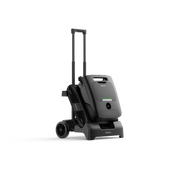
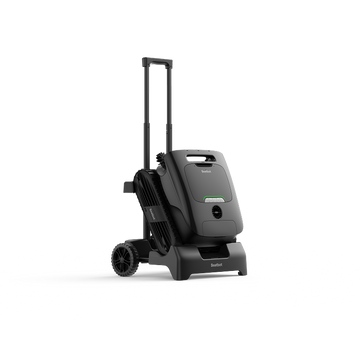
If your robot comes with a storage caddy, it can make everyday handling much easier. You have somewhere to keep the cleaner and its accessories, and moving it between the pool and storage area becomes a little simpler.
Chargers and other electrical accessories are best kept in a dry place. Having a dedicated spot for everything also means you're less likely to misplace an accessory when the next cleaning session comes around.
A Few Things to Know About Battery Charging
One of the convenient things about a cordless pool cleaner is not having to deal with a power cable during cleaning. Battery care is fairly simple, too, once you're familiar with your model's charging routine and storage recommendations.
Use the Charger Supplied with Your Robot
Using the charger or charging dock supplied with your cleaner is the easiest way to keep things straightforward. Different models can have different battery capacities and charging requirements, so another adapter that looks compatible isn't necessarily the right choice.
Many owners prefer to recharge their robot after a cleaning session so it's ready for the next one. The actual charging time depends on the model and its battery, so there's no single schedule that applies to every cordless cleaner.
If the battery seems to run down faster than usual, it may be worth looking at the filter and moving parts as well. A full basket or debris caught around the brushes can affect how the cleaner operates.
Keep an Eye on the Charging Contacts
Charging contacts are easy to forget about, but they deserve an occasional look, especially if your pool is saltwater. Dirt or salt residue around the connection points can sometimes interfere with charging.
The cleaning and drying requirements depend on the model. Some cleaners have specific instructions for charging after use, so it's worth becoming familiar with those details rather than assuming the same routine works for every robot.
The charger and power adapter themselves are a different matter. These electrical accessories should be kept dry and away from splashing pool water.
What About the Battery During Longer Breaks?
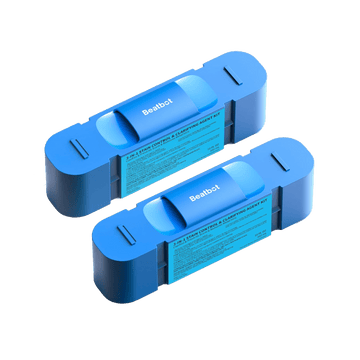
If your pool robot won't be used for several weeks or months, battery storage becomes a little more important. Leaving a rechargeable battery almost empty throughout a long break isn't ideal, so the manufacturer's recommended storage level is worth checking.
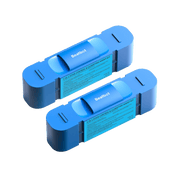
For applicable Beatbot models, the winter storage guidance recommends keeping the battery at around 50% before extended storage. The charging equipment should also be disconnected, with the battery checked periodically during the off-season.
These details are especially useful if you live somewhere with a long winter or only use your pool during part of the year.
Does Your Pool Environment Change How You Use the Robot?
Two pools can look quite similar but need very different cleaning routines. Trees, weather, saltwater, and the amount of everyday use all influence how much debris ends up in the water and how often your robot needs attention.
Using a Pool Robot in a Saltwater Pool
Many pool owners use robotic cleaners in saltwater pools, but compatibility depends on the cleaner and the salt concentration. Beatbot model specifications are worth checking if you have a saltwater system, as the recommended limits can vary.
Salt residue is another small thing to keep in mind. Depending on the model and pool conditions, an occasional fresh-water rinse can help remove residue from the robot's exterior and accessible parts.
Charging contacts may also need a little attention if salt deposits build up around them. The cleaning instructions for your particular model will give you the best idea of how to handle this.
Cleaning During Leaf Season
If your pool sits beneath trees, you'll probably notice that the filter basket fills up much faster at certain times of the year. A windy afternoon or a few days of heavy leaf fall can leave plenty of debris in the water.
During these periods, checking the basket more often can make the cleaning routine easier. You may find that it needs emptying partway through a cycle when the pool is particularly messy.
Fine dust, pollen, and sand can create a different kind of buildup. These particles may not make the basket look full, but they can still collect in the filter material and affect water flow over time.
Pool Water Chemistry Still Matters
A robotic pool cleaner takes care of physical debris, but keeping the water balanced is still part of regular pool care. Chlorine, pH, and salt levels all play a role in maintaining a suitable environment for both swimmers and pool equipment.
This is particularly relevant after adding chemicals or shocking the pool. Once the water has circulated and returned to the recommended range, the robot can go back to its usual cleaning routine.
If your water looks cloudy or has an unusual smell, that's a separate pool maintenance issue rather than something the cleaner can solve on its own.
Getting Your Pool Robot Ready for Winter
If you live somewhere with a cooler winter or don't plan to use your pool for a few months, the robot will need a little attention before going into storage. A thorough clean and some battery preparation now can make getting it ready for the next swimming season much easier.
Give the Robot a Thorough Clean
Winter is a good time to give your cleaner a more thorough clean than it might receive after an ordinary cycle. The filter basket, brushes, tracks, and impeller are all worth checking for leaves, hair, and other debris.
A fresh-water rinse can also help remove pool residue from the exterior, particularly if you've been using the cleaner in a saltwater pool. Once the cleaning is finished, let the machine drain and dry according to the manufacturer's instructions.
It's much nicer to bring out a clean robot when the next swimming season starts than to find old leaves and debris still sitting inside the filter basket.
Prepare the Battery for Storage
For cordless models, battery preparation is one of the more important parts of winter storage. The recommended charge level can vary between products, so the manufacturer's instructions are the best place to start.
For applicable Beatbot models, around 50% charge is recommended before extended winter storage. Disconnecting the charging equipment and checking the battery periodically can also help keep it in suitable condition during the off-season.
Choose a Dry Place Away from Frost
A garage, storage room, or another protected indoor space can work well for winter storage, provided the temperature stays within the recommended range for your cleaner.
Freezing temperatures are worth paying attention to, particularly if there's any water left inside the machine. A dry, protected space is generally a better choice than an exposed outdoor shed where the robot may be affected by frost or large temperature changes.
If you're preparing your cleaner for a longer break, the robotic pool cleaner winter storage guide covers the cleaning, battery preparation, and storage details in more depth.
FAQs
Should You Remove a Robotic Pool Cleaner After Every Use?
For everyday use, taking the robot out after its cleaning cycle is generally a good habit. It gives you a chance to empty the filter basket, rinse away pool residue, and check whether any debris has collected around the brushes.
Can You Swim While a Robotic Pool Cleaner Is Running?
It's best to keep swimming and cleaning sessions separate. Although cordless robots don't have a power cable in the water, they still have moving parts. Waiting until the cycle is finished keeps the pool clear for swimming and avoids unnecessary contact with the machine.
Can You Leave a Pool Robot in Direct Sunlight?
A shaded spot is generally a better place to keep your robot between cleaning sessions. Strong sunlight and heat can gradually affect plastic, rubber, and battery components, particularly when the machine is left outside for long periods.
Should You Clean the Filter After Every Run?
For most pools, emptying and rinsing the filter after each cleaning cycle is a convenient routine. If your pool collects lots of leaves, sand, or pollen, you may find that the basket needs attention more often.
Can You Use a Pressure Washer to Clean a Pool Robot?
A garden hose is usually enough for routine filter cleaning. Fine mesh can be damaged by strong water pressure, so a gentle rinse is a better option. A soft brush may also help with stubborn dirt if the filter instructions allow it.
Can You Run a Robotic Pool Cleaner After Shocking the Pool?
It's worth giving the chemicals time to circulate and the water to return to the range recommended by your cleaner's manufacturer. This helps avoid exposing the robot to unusually high sanitizer concentrations immediately after treatment.
Can You Use a Robotic Pool Cleaner in a Saltwater Pool?
Yes, provided the cleaner is designed for your pool's salt concentration. The maximum recommended salinity can vary between models, so checking the product specifications is a good starting point. Fresh-water rinsing may also be recommended after use, depending on the model.