Most Popular


 Sora Series


 AquaSense Series

 Skimmer & Bundle

 Retail Edition


 Accessories


How Much Chlorine Should I Add to My Pool?
Add enough chlorine to raise your current free chlorine level to your target level. The exact dose depends on four numbers: pool volume, current free chlorine (FC), target FC, and chlorine strength.
A larger pool needs more chlorine for the same ppm increase. The size of the increase matters too. Raising FC from 1 ppm to 3 ppm requires twice as much available chlorine as raising it from 1 ppm to 2 ppm in the same pool.
For a simple comparison, raising a 10,000-gallon pool by 1 ppm takes about 12.8 fl oz of 10% liquid chlorine or about 10.2 fl oz of 12.5% liquid chlorine. Increasing FC by 2 ppm would require roughly twice those amounts. Use the calculator above instead of applying one standard dose to every pool.
Always enter the chlorine strength shown on the product label. A dose calculated for 10% liquid chlorine should not be reused for a 6% or 12.5% product.
The calculator is designed for routine chlorine adjustments. Green water, a severe algae bloom, or contamination may require shock treatment or another treatment process rather than a normal chlorine dose.
What Free Chlorine Level Should I Target?
For most residential pools, 1–4 ppm is a common working range for free chlorine. If cyanuric acid (CYA) or stabilized chlorine is present, free chlorine should be at least 2 ppm.
CDC recommends at least 1 ppm chlorine in pools without CYA and at least 2 ppm when CYA or chlorine products containing CYA are used. It also recommends keeping pH between 7.0 and 7.8.
Do not automatically enter 3 ppm every time you use the calculator. Your target should reflect the pool's current chemistry, especially its CYA level.
Use the fields this way:
- Current Free Chlorine: the FC level you just measured.
- Target Free Chlorine: the FC level you want after treatment.
Enter free chlorine, not total chlorine. Total chlorine includes both free chlorine and combined chlorine, so substituting one for the other can produce the wrong dose.
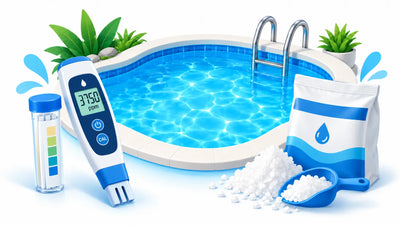
When using pool test strips, match the chlorine pad with the correct row on the product's own chart and record the number before adding chemicals. Different strip brands can use different colors, scales, and reading times.
Why Does CYA Matter When Calculating Chlorine?
CYA protects chlorine from sunlight, but it also changes the free chlorine level you need to maintain. That is why the calculator asks whether CYA is present.
Without CYA, sunlight can break chlorine down quickly in an outdoor pool. Adding stabilizer slows that loss. Once CYA is present, however, the pool should not be managed using the same minimum FC level as an unstabilized pool.
CDC sets the minimum chlorine concentration at 2 ppm when CYA or stabilized chlorine is used, compared with 1 ppm without it.
The calculator's CYA Present: Yes/No field does not replace an actual CYA test. It only tells the calculator whether the pool contains stabilizer. Two pools can both contain CYA but have very different CYA concentrations.
Test the CYA level separately, especially when FC repeatedly falls outside its target range. For a standard chlorine pool, Beatbot's existing guidance uses 30–50 ppm as a common CYA range. Higher levels can require different chlorine management.
Understanding your actual cyanuric acid level is more useful than simply knowing that stabilizer has been added.
Why Chlorine Strength Changes the Dose
The stronger the chlorine product, the less product you need to produce the same FC increase.
A 12.5% liquid chlorine product contains more available chlorine per unit of product than a 10% product. That is why the calculator gives a smaller volume when every other input stays the same.
Consider a 10,000-gallon pool that needs a 1 ppm increase:
10% liquid chlorine: about 12.8 fl oz
12.5% liquid chlorine: about 10.2 fl oz
The difference becomes larger when the pool is bigger or the required FC increase is higher.
Do not choose a strength based only on the words "liquid chlorine." Check the label. Household bleach, pool liquid chlorine, and commercial sodium hypochlorite can have different concentrations.
The same rule applies to granular chlorine. Use the concentration or available-chlorine value required by the calculator rather than assuming every granular product has the same strength.
If the label does not match any calculator option, confirm the manufacturer's specification instead of selecting the closest percentage.
How Often Should You Add Chlorine?
Do not add the same amount of chlorine on a fixed weekly schedule. Test the water first and dose according to the measured FC level.
A pool that needs 40 fl oz today may not need 40 fl oz again three days later. Chlorine demand changes with sunlight, swimmer load, organic contamination, temperature, and other conditions. CDC specifically notes that sunlight and contaminants introduced by swimmers can reduce chlorine concentration.
Use a simple sequence:
Test → calculate → add chlorine → circulate → retest.
Once you have added chlorine, do not calculate another dose using the old FC result. Allow the chemical to disperse according to the product instructions, then take a new measurement before making another adjustment.
Hot sunny weather, heavy swimming, rain, leaves, algae, or other contamination can make FC disappear faster than usual. When that happens, test more frequently rather than automatically increasing every dose.
If free chlorine repeatedly falls soon after treatment, check why the pool is consuming chlorine instead of simply adding larger amounts.
Why Is My Chlorine Still Low After Adding It?
If free chlorine is still low after adding the calculated amount, retest before adding more. The pool may be consuming chlorine quickly, or one of the values used in the calculation may be wrong.
Check these first:
- Pool volume: an underestimated pool volume produces an undersized dose.
- Chlorine strength: entering 12.5% when the product is actually 10% produces too small a dose.
- Sunlight: strong UV exposure increases chlorine loss.
- Organic material: algae, leaves, dirt, sweat, and other contaminants increase chlorine demand.
- Heavy swimmer load: more swimmers generally mean more chlorine demand.
- CYA: too little CYA can allow chlorine to disappear quickly outdoors, while very high CYA changes how chlorine must be managed.
- Test accuracy: an old test strip, incorrect reading time, or poor sample can give you the wrong starting FC.
Also check pH. CDC recommends 7.0–7.8 and notes that chlorine becomes less effective at killing germs as pH rises, particularly above 8.0.
There is also an important distinction between low FC and chlorine lock. If FC rises and then quickly falls back toward zero, high chlorine demand is the more likely problem. If chlorine tests present but sanitation remains poor, unusually high CYA may be involved.
Persistent problems described as chlorine lock should be confirmed with water testing rather than treated by repeatedly adding more chlorine.
Using Chlorine Safely
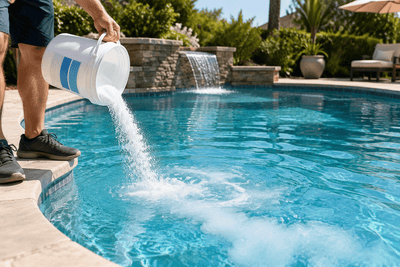
Never mix chlorine with acid or other pool chemicals. Add each chemical separately and follow the handling, dilution, circulation, and swimming instructions on the product label.
Before dosing:
- Confirm the pool volume.
- Test the current FC.
- Check the chlorine concentration on the label.
- Calculate only the increase you actually need.
- Use the protective equipment specified by the manufacturer.
Do not transfer chlorine into an unlabeled container or combine leftover chlorine products. Different chlorine products can contain different active ingredients and concentrations even when they are intended to do the same job.
After adding chlorine, allow it to circulate for the time stated on the product label and test the water again before making another adjustment or allowing swimmers back into the pool.
The calculator provides a routine dosage estimate based on the values entered. It does not replace the product label, measured water testing, or a treatment procedure for algae, shock treatment, fecal contamination, chemical spills, or other abnormal pool conditions.