Most Popular


 Sora Series


 AquaSense Series

 Skimmer & Bundle

 Retail Edition


 Accessories


A hurricane can leave a pool with problems that go well beyond leaves and rainwater. The pump may have been submerged, storm surge may have pushed saltwater into the pool, or the water may be brown with mud and silt.
That means the first job is not cleaning. It is figuring out what is safe to turn back on, whether the pool should be drained, and how serious the contamination is. Only after those questions are settled should you move on to vacuuming, robotic cleaning, filtration, and water treatment.
1. Can You Safely Turn the Pool Equipment Back On?
Do not restart the pool equipment immediately after a hurricane.
Start by checking one thing first: was the equipment pad flooded or submerged? If the answer is yes, keep the system powered off. Pumps, heaters, automation controllers, electrical panels, GFCI outlets, and wiring that were exposed to floodwater should be inspected before they are energized again.
If the equipment stayed dry, move to a second check: is there any visible storm damage? Look for cracked plumbing, shifted equipment, broken fittings, damaged wiring, or debris blocking the pump or intake area.
Only when the equipment stayed dry and no obvious damage is visible should you move toward restarting the system.
Before turning the pump on:
- Empty the skimmer basket.
- Empty the pump basket.
- Clear debris around the intake.
- Check exposed plumbing for cracks or displacement.
- Make sure valves are in their normal operating positions.
2. Should You Drain the Pool After a Hurricane?
In most cases, do not completely drain an in ground pool after a hurricane, even when the water is brown, muddy, or full of debris.
The reason is the pressure difference between the water inside the pool and the groundwater outside it. After a hurricane, the soil around the pool can become saturated and the local water table may rise until groundwater is pressing against the sides and underside of the pool shell.
A full pool is extremely heavy. That weight pushes downward and helps balance the upward force from the surrounding groundwater. Once the pool is drained, that internal weight disappears, but the groundwater pressure outside the shell remains.
If the upward pressure becomes greater than the weight of the empty shell and the soil holding it in place, the pool can begin to lift. Fiberglass pools may rise or shift, while concrete pools can crack, move, or partially separate from the surrounding structure. This is what pool professionals mean when they say a pool can “float” or “pop” out of the ground.
If the water level is too high, remove only the excess and return it to the normal operating range. Severely contaminated water may require partial replacement, but a complete drain should be avoided while the surrounding ground is still saturated unless a pool professional has confirmed it is safe.
3. What If Floodwater or Storm Surge Entered the Pool?
Rainwater falling directly into the pool is very different from water that has flowed across a street, lawn, drainage area, or coastal property before reaching the pool.
Floodwater can carry mud, sand, grass, fertilizers, oil, bacteria, and other contaminants into the water. Storm surge adds seawater on top of that, which can push the pool’s salinity well above its normal range.
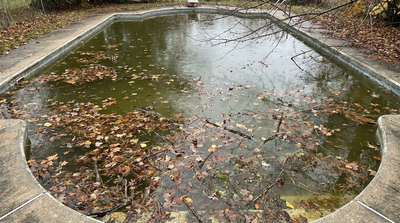
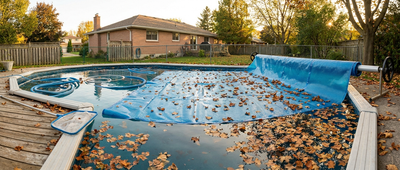
Start with the visible mess first. Remove branches, leaves, mulch, and other large debris, then clear out as much heavy mud and sediment as possible before relying on the filter.
Any pump, heater, controller, or electrical equipment that was actually submerged should stay off until it has been checked.
Once the pool is safe to work on:
- Remove large debris and heavy sediment.
- Restore the water level to the normal operating range.
- Restart circulation only after the equipment is safe.
- Test salinity if storm surge or seawater entered the pool.
- Check chlorine, pH, alkalinity, and stabilizer after circulation is restored.
- Clean or backwash the filter as sediment builds up.
- Replace part of the pool water if salinity or dissolved solids remain far above the pool’s normal operating range.
For a saltwater pool, do not assume the extra seawater is harmless. A large storm surge can still push salinity above the level recommended for the salt chlorinator and can leave salt, silt, and contaminants throughout the system.
If sewage, fuel, or an oily film is present, stop normal DIY cleanup and have the pool professionally evaluated.
4. What If the Pool Is Brown, Muddy, or Full of Silt?
A brown or muddy pool usually means that a large amount of soil and fine sediment entered the water during the storm. The best approach is to remove the heaviest material first instead of sending everything directly through the pool filter.
Start by clearing anything you can physically remove from the pool:
- Scoop out large piles of wet leaves and mulch with a leaf rake.
- Remove branches, grass, and other vegetation by hand.
- Vacuum heavy mud or settled dirt from the floor when possible.
- Use a vacuum to waste setting if your pool system supports it and the sediment load is too heavy for the filter.
Avoid brushing thick mud around the pool or repeatedly running a cleaner through it at the beginning. This can lift settled sediment back into the water and make the pool even cloudier.
Once the bulk mud and debris are gone, restart circulation and let the filter begin clearing the suspended material. Check the filter pressure frequently, because storm sediment can clog a cartridge filter or load a sand or D.E. filter much faster than normal.
After the water settles again, inspect the floor. Any remaining dirt, sand, or fine silt can then be handled with a manual vacuum or robotic pool cleaner. A robotic pool cleaner can take over much of this repetitive work, especially when fine sediment keeps settling across a large area of the pool and requires more than one cleaning cycle.
The Beatbot Sora 70, Sora 30, and Sora 10 can all be paired with Beatbot’s optional Ultra Fine Dual Filter Basket, which filters particles down to 3 μm. This makes them particularly useful for fine sand, mud, and silt that remain after the heavier storm debris has already been removed.
5. When Can You Start Using a Robotic Pool Cleaner?
A robotic pool cleaner becomes useful once the dangerous and unusually heavy storm debris has already been removed.
Before putting a robot in the pool, clear out large branches, sharp objects, thick mud, and heavy piles of vegetation. Make sure the pool equipment is safe to operate and that there is no unresolved flooding or contamination issue.
At that stage, most of the remaining work is repetitive cleaning: leaves drifting across the surface, dirt spread over the floor, sediment along the walls, and debris collecting around the waterline.
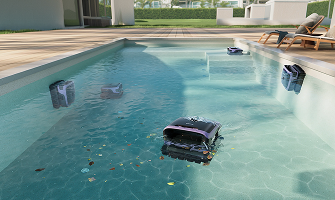
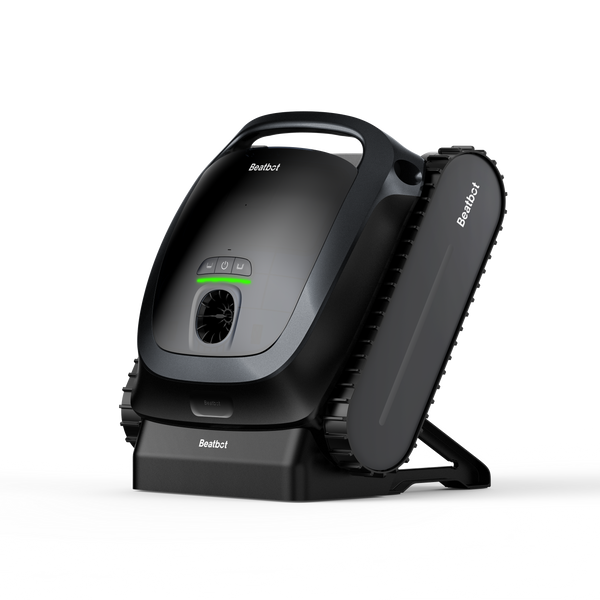
Beatbot gives you two practical ways to handle this. You can use a dedicated surface cleaner together with an underwater robot, or choose one cleaner that covers several areas of the pool.
Beatbot iSkim Ultra
Choose iSkim Ultra when most of the remaining debris is still floating on the surface.
It is designed specifically for surface cleaning. Dual side brushes and a front roller brush guide leaves, grass, flowers, seeds, pollen, and other floating material into its large 9 L basket. Its navigation system also helps it move across the pool surface more systematically.
This makes it especially useful for tree lined pools or pools that collect large amounts of floating vegetation after storms. It can also be paired with a separate underwater cleaner so surface and floor cleanup happen at the same time.
Beatbot Sora 70
Choose Sora 70 when storm debris remains both on the surface and underwater and you want one robot to handle most of the cleanup.
It cleans the surface, floor, walls, waterline, and shallow areas, delivers 6,800 GPH suction, and uses a 6 L debris basket. It can run for up to 7 hours on the surface or 5 hours on the floor.
Sora 70 is a good fit for medium to large residential pools where storms leave a mix of floating leaves, settled dirt, and sediment across several areas. Its shallow area cleaning also makes it useful for pools with tanning ledges or other low water sections.
Beatbot AquaSense 2 Ultra
Choose AquaSense 2 Ultra when you have a larger pool, a more complex pool shape, or debris that tends to collect unevenly in different areas.
It cleans the surface, floor, walls, and waterline, delivers 5,500 GPH suction, and can run for up to 10 hours on the surface or 5 hours underwater. Its dual layer filtration system includes a 4.0 L outer basket and 3.7 L inner basket for mixed debris.
Its AI debris detection and more advanced navigation help it spend more time in dirtier areas, which can be useful in larger pools, pools with irregular layouts, or pools where storm debris gathers around curves, walls, or specific sections rather than spreading evenly.
Beatbot Sora 10
Choose Sora 10 when the pool is simpler in shape and the remaining storm cleanup is lighter.
It focuses on the floor, walls, waterline, and shallow areas and uses a 5 L debris basket. It is a more straightforward option for small to medium residential pools where the surface has already been cleared and the remaining work is mainly settled leaves, dirt, sand, or fine sediment.
Like Sora 70 and Sora 30, Sora 10 can also use Beatbot’s optional 3 μm Ultra Fine Dual Filter Basket when fine silt remains after the heavier debris is gone.
6. How to Deal With Fine Silt That Keeps Settling Back
The most frustrating part often comes after the pool already looks much better.
Large debris is gone, but a few hours later a thin brown or gray layer appears across the floor again.
That happens because very fine silt can remain suspended while pumps and cleaners are moving the water. Once circulation slows, the particles settle again.
Use a staged approach:
- Remove the large debris first.
- Run the initial cleaning cycle.
- Let the water calm.
- Inspect the floor again.
- Run another cycle after the sediment settles.
This is also the point where filtration fineness matters more than basket size.
The Sora 70, Sora 30, and Sora 10 support Beatbot's optional Ultra Fine Dual Filter Basket, which filters particles down to 3 μm. By comparison, Sora 70 and Sora 30 use 150 μm standard filtration for everyday debris.
Use the standard basket for the first heavy debris passes. Switch to the finer basket when the leaves and larger dirt are gone and fine silt becomes the main problem.
That keeps the ultra fine filter from filling prematurely with debris better handled by the standard basket.
7. How Often Should You Clean or Backwash the Filter During Recovery?
After a hurricane, do not rely on your normal weekly filter routine. Storm debris and fine sediment can load the filter much faster than usual.
Start by checking the filter pressure as soon as the system is running normally. Record the clean starting pressure, then use that number as your reference during recovery. For many Pentair filters, cleaning is recommended when the pressure rises about 8 to 10 psi above the clean starting pressure, or when water flow drops noticeably.
During the first day of recovery:
- Check the pressure gauge every few hours.
- Empty the skimmer and pump baskets whenever they begin to fill.
- Watch the return jets. A noticeable drop in flow can be a sign that the filter is becoming loaded even before the pressure reaches the normal cleaning point.
- Do not keep forcing water through a heavily loaded filter. Clean or backwash it, then restart the system and note the new clean pressure.
For a cartridge filter, shut the pump down safely, relieve the pressure, remove the cartridge, and rinse dirt from the pleats before restarting. Pentair specifically recommends cleaning cartridge elements when pressure rises about 8 to 10 psi above the clean reading.
For a sand filter, backwash when the pressure reaches the cleaning point specified for your filter or when flow drops noticeably.
For a D.E. filter, backwash or clean it according to the manufacturer instructions, then replace the required D.E. before returning the system to normal filtration. Pentair uses roughly a 10 psi rise above the original starting pressure as a backwash point for its Quad D.E. filters.
A heavily muddy pool may load the filter again soon after cleaning. That does not necessarily mean something is wrong with the filter. It may simply be removing a large amount of storm sediment. During the first one or two days, it is normal to check and service the filter more often than you would during routine pool maintenance.
8. How to Rebalance the Water After Flooding
Do not start adding chemicals while the pool is still full of branches, mud, or heavy sediment. Remove the bulk debris first, restore circulation, and then test the water.
Start with these readings:
| Test | Target |
|---|---|
| Free chlorine | At least 1 ppm |
| Free chlorine with cyanuric acid | At least 2 ppm |
| pH | 7.0 to 7.8 |
| Total alkalinity | About 80 to 120 ppm |
| Cyanuric acid | Retest after major dilution |
| Salt | Retest after storm surge or major water replacement |
Once you have the test results, make corrections in stages rather than adding everything at once.
Start with pH and total alkalinity. Heavy rain and floodwater can push both out of range, and chlorine works less effectively when pH is too high. Bring those readings back into the normal operating range before making repeated sanitizer adjustments.
Next, check free chlorine. If it is below the target range, add chlorine according to the pool volume and product label. A pool that received a large amount of organic debris, mud, or outside water may consume chlorine quickly, so retest after circulation has had time to mix the water.
Shock treatment may be appropriate when the pool remains cloudy, has a strong organic load, or chlorine demand stays unusually high after the storm. Do not add a fixed amount simply because there was a hurricane. Base the dose on the pool volume, current chlorine level, and the shock product instructions.
Also check cyanuric acid after major overflow or water replacement. Heavy dilution can lower stabilizer levels, which means chlorine may disappear faster in sunlight once the pool is back in use.
For coastal pools affected by storm surge, test the salt level before restarting the salt chlorinator at its normal setting. A large amount of seawater can push the salt concentration above the equipment's recommended range.
After making corrections:
- Keep the circulation system running.
- Wait for the chemicals to mix fully.
- Retest chlorine and pH.
- Check that the water is clear enough to see the pool floor.
- Do not reopen the pool until sanitizer and pH are back within the normal operating range.
Final Thought
Hurricane pool recovery starts with decisions, not cleaning.
Keep flooded equipment off, avoid completely draining an in ground pool, and treat floodwater or storm surge more seriously than ordinary rainwater. Remove heavy debris and mud first.
Once those problems are under control, robotic pool cleaners can take over much of the repetitive surface, floor, wall, waterline, and fine silt work, while the main filtration system and water treatment complete the recovery.
FAQs
Should I drain my pool after a hurricane?
Usually, no. A full drain can be risky when the ground is saturated because high groundwater may push the pool shell upward. Lower only excess water unless a professional confirms that a larger drain is safe.
Can I turn my pool pump back on after it was flooded?
Not until it has been checked. Pumps, heaters, controllers, and other electrical equipment that were submerged should stay powered off until they are inspected for damage.
What should I do if my pool is full of mud after a hurricane?
Remove large debris, wet leaves, and heavy mud first. Once the bulk material is gone, start filtration and use a manual vacuum or robotic pool cleaner for the remaining dirt, sand, and fine silt.
Should I use a pool robot or a manual vacuum after flooding?
Use a manual vacuum first when the pool contains thick mud or large amounts of heavy debris. A robotic pool cleaner is more useful after the bulk material is gone and the remaining dirt and sediment are spread across the pool.
How long does it take to clear a pool after a hurricane?
For a typical pool with storm debris and cloudy water, cleanup often takes about 2 to 3 days. Pools with heavy mud, fine silt, or floodwater may need 5 to 7 days or longer.