

 Sora Series


 AquaSense Series



 Skimmer & Bundle

 Retail Edition


 Accessories

 Extended Warranty


Common salt chlorine generator problems include low or no chlorine production, calcium scaling on the cell, low salt or clean cell warnings, no flow errors, and the system failing to power on. Most are caused by low salinity, a scaled cell, water chemistry imbalance (high pH or out-of-range CYA), insufficient pump flow, or a tripped GFCI.
Solutions involve testing salt independently, acid washing the cell, balancing pH and CYA, clearing baskets and the filter, and resetting the breaker.
The fastest path to a fix is to identify your specific symptom first, then go to the section that covers it.
Quick-Reference: Symptom, Cause, and First Fix
Identify your symptom in the first column, confirm the most likely cause in the second, and start with the action in the third. Each row maps to a section below.
|
Symptom |
Most Likely Cause |
First Fix |
|
Low salt warning light |
Low salinity or scaled cell |
Test salt; if OK, clean the cell |
|
Clean cell warning light |
Calcium scale on plates |
Acid wash until no fizzing |
|
No flow / low flow error |
Clogged baskets or faulty switch |
Clean filter, check flow switch |
|
No errors but low chlorine |
Output too low or water imbalance |
Raise output; check pH, CYA, phosphates |
|
System won't turn on |
Tripped GFCI or blown fuse |
Reset GFCI, check breaker and fuse |
|
Errors clear after reset but return overnight |
Air in cell from low pump RPM |
Raise pump minimum RPM setting |
|
Correct salt and clean cell but still errors |
Cell at end of life (3–8 years) |
Verify all checks, then replace cell |
Key Water Chemistry Target Ranges
A salt chlorine generator can only do its job when the water it operates in is within range. The table below summarizes the parameters that most directly affect generator performance and cell life.
|
Parameter |
Target Range |
Why It Matters |
|
Salinity |
2,700–3,400 ppm |
Below range triggers low salt errors |
|
pH |
7.2–7.6 |
High pH cuts chlorine effectiveness and accelerates scaling |
|
Cyanuric acid (CYA) |
30–50 ppm |
Stabilizes chlorine; too high suppresses killing strength |
|
Calcium hardness |
200–350 ppm |
High calcium drives cell scaling |
|
Phosphates |
Under 100 ppb |
Acts as algae nutrient, raises chlorine demand |
|
Nitrates |
Under 10 ppm |
Behaves like phosphates; only removed by partial drain |
|
Free chlorine |
1–3 ppm |
Below 1 ppm allows microbial growth |
Drift outside any of these ranges produces the symptoms covered in the sections below, often before any error light appears.
Signs Your Salt Chlorinator May Not Be Working
Not every generator problem triggers a visible error code. The following are signs in the pool water that suggest the system may not be producing adequate chlorine.
-
Free chlorine below 1 ppm — if consistently under 1 ppm despite normal output, either output is too low, run time is insufficient, or a chemistry problem is consuming chlorine faster than it can be produced.
-
Cloudy or murky water — can indicate inadequate sanitation or a filter issue. Test chlorine and check for system errors first.
-
Green water or visible algae — confirms free chlorine dropped to zero at some point. The generator may be working but unable to keep up with demand.
-
White flakes in the water — calcium flakes from the cell indicate heavy scale buildup. Clean the cell immediately and correct the LSI.
-
Skin and eye irritation — caused by chloramines, which form when chlorine is insufficient to oxidize contaminants. This signals chronically low free chlorine, not excess chlorine.
-
Unusually high chlorine — a real fault signal, not a non-issue. If free chlorine consistently exceeds 5 ppm, output is set too high for current demand. Beyond bleaching swimsuits and irritating skin, sustained over-production accelerates plate wear and shortens cell life. Reduce output.
Step-by-Step Troubleshooting Checklist
Before working through hardware, rule out the simplest explanation: the generator may be running fine but cannot keep up with demand. Free chlorine measurement only shows residual chlorine, after the water has consumed what it needed for sanitation. A reading of zero in the pool does not always mean the generator is broken.
Work through the checks below in order. Each step rules out a category before moving to the next, which prevents replacing parts that were never the issue. Detailed instructions for each step are in the dedicated section that follows.
-
Confirm power and read the control panel. Reset the GFCI, check the breaker, and confirm the unit is switched on. Note any active warning light — it points to which detailed section applies.
-
Test salinity with an independent kit. Do not rely on the generator's display reading. If salinity is in range but the unit still reports low salt, the issue is the cell, not the salt level.
-
Inspect the cell for scale. Look for white or yellowish deposits between the plates. If present, acid wash the cell. See the Clean Cell Warning section for the full procedure.
-
Verify the cable connection. Disconnect at both ends, inspect for corrosion or bent pins, clean and reseat firmly. Loose connectors mimic cell faults.
-
Confirm cell type setting on the controller. A mismatched setting after a replacement cell of a different size will cause persistent errors regardless of cleaning or salt level.
-
Check water flow. Clean baskets, backwash if filter PSI is elevated, and confirm the flow switch trips correctly. Raise variable-speed pump minimum RPM if errors return overnight.
-
Test and balance water chemistry. Use the target ranges in the table above. Imbalances drive chlorine demand higher than the generator can match.
-
Replace the cell only after the previous steps pass. Cells last 3 to 8 years. The cell is the answer when everything else is verified clean and in range.
Most issues resolve within steps 1 through 3. Step 8 is the last action, not the first.
Salt Cell Warning Lights and Error Codes
When a salt chlorine generator displays a warning light, it has detected abnormal resistance while measuring how current passes through the cell and water. Several different physical problems can produce the same error message.

Low Salt Warning
A low salt warning means resistance across the cell is higher than expected. Low actual salinity is the most common cause, but a dirty cell will produce the same reading even when water salinity is correct.
Test the pool with a dedicated salt kit, whether strips, a chemical kit, or a digital tester. If salinity tests within the manufacturer's target range, clean the cell before adding any salt. Adding salt to an already-correct pool creates an elevated salinity that must then be corrected by draining water.
If salinity is genuinely low, add pool-grade salt according to the dosage chart for your pool volume and current reading. Distribute it across the shallow end and allow 24 hours of pump operation before retesting.
Clean Cell Warning
Calcium scale on the titanium plates raises electrical resistance the same way low salinity does. If salt levels test correctly but a cell-related alert persists, scale is almost certainly the cause.
Remove the cell and soak it in a cell-cleaning solution or diluted muriatic acid (one part acid to four parts water, never the reverse) for 10 to 15 minutes. Active fizzing is the diagnostic signal that scale is dissolving.
The cell is fully clean only when a fresh batch of solution produces no fizzing at all. Heavy buildup typically requires two or three consecutive cleanings because the acid gets neutralized as it works. Flush the cell thoroughly with fresh water for at least 30 seconds before reinstalling.
Frequent scaling, as in needing to clean every few weeks, points to a high Langelier Saturation Index. The main drivers are pH above 7.8 and calcium hardness above 400 ppm. Keeping pH and calcium hardness within the ranges in the Target Ranges table will reduce scaling and extend cell life.

Air in the Cell
The cell must be 100% filled with water for current to pass through the plates correctly. Air pockets spike resistance and trigger low salt or clean cell errors even when salinity is fine and the cell is clean.
Air enters from a suction-side leak at a fitting, union, or cracked pipe; a low pool water level exposing the skimmer; or a variable-speed pump running at too low an RPM. The clearest sign: errors appear overnight, clear after a reset, and return the next morning. That cycle indicates the pump's overnight low-speed setting is not moving enough water.
For a low-RPM issue, raise the pump's minimum speed in 200 to 400 RPM increments until overnight errors stop. For leak-related air entry, inspect all suction-side plumbing from skimmer to pump for cracks, loose fittings, or degraded o-rings.
Incorrect Cell Type Setting
Many controllers are designed to work with multiple cell sizes and have a setting that calibrates power output accordingly. If the setting does not match the installed cell, the system will misread resistance and trigger low salt or high salt warnings. This happens most often after a replacement cell of a different size is installed. Check your manual for the cell type setting and confirm it matches your cell.
Cold Water Temperature
Below approximately 50°F, some generators display a temperature alert or reduce chlorine output to limit plate wear. If a low salt or clean cell error appears in early spring and the water is cold, the warning may resolve once the water warms. A temperature warning appearing in summer when water is not cold suggests a failing temperature sensor.
Bad Cable Connection
The cable connecting the cell to the control box can develop corrosion or partial seating at the connectors, raising measured resistance and triggering cell errors. Disconnect at both ends, inspect for corrosion or bent pins, clean if needed, and reconnect firmly. Partial seating is a common cause of intermittent errors.
Cell at End of Life
Salt cells last three to eight years depending on usage and water chemistry. A cell nearing end of life produces persistent errors even after salinity is confirmed correct and the cell has been thoroughly cleaned.
Replace the cell only after confirming all of the following: salinity is within range per an independent test, the cell has been cleaned until a fresh acid solution produces no fizzing, the cable is clean and fully seated, the cell type setting matches the installed cell, the water is not unusually cold, and the unit has been in service for several years.
No Warning Lights but the Pool Has Low Chlorine
When the generator shows no errors but free chlorine stays below 1 ppm, the system is most likely producing chlorine at its set output. The pool is consuming it faster than it is being replenished.
Output Setting or Run Time Is Too Low
Chlorine demand rises as temperatures climb, swimmer load increases, or after heavy rain. If there are no system errors and output settings have not been reviewed recently, start here. Increase the output level and run time. A useful starting point is one hour of run time per 10°F of outdoor temperature. Check free chlorine 24 hours after adjusting and continue raising until it holds between 1 and 3 ppm.
Water Chemistry Imbalance
High pH. Chlorine loses effectiveness as pH rises above 7.8, so more must be produced to achieve the same sanitation result. Salt chlorine generators also produce chlorine at a high pH on the way out of the cell, which steadily pushes pool pH upward over time.
Aeration from water features and high total alkalinity accelerate this drift. Test pH weekly and dose muriatic acid as needed to hold the 7.2 to 7.6 range. Lowering total alkalinity to 80–120 ppm slows the upward drift.
Cyanuric acid (CYA) out of range. Below 20 ppm, sunlight destroys chlorine rapidly and demand spikes during daylight hours. Above 80 to 100 ppm, CYA suppresses chlorine's killing strength severely. High CYA can only be corrected by partial draining and refilling.
Phosphates. Above 100 parts per billion, phosphates act as a nutrient for algae, causing sustained chlorine demand the generator cannot overcome. Common sources include fertilizer drift from nearby lawns, decomposing leaves and grass clippings, and some municipal water supplies. Phosphate removers work quickly. Test for phosphates if demand remains high after correcting pH and CYA.
Nitrates. Nitrates behave similarly to phosphates but can only be removed by partial draining. Common sources are urine breakdown in the water, fertilizer runoff, and well water with agricultural contamination.
When any of these imbalances is present, add supplemental chlorine or shock to hold the pool while the underlying issue is corrected.

Algae and Organic Demand
Visible algae or a recent algae episode raises chlorine demand even after the water appears cleared. Algae spores remain in the water and filter and each one consumes chlorine as it is neutralized.
Shock with unstabilized chlorine to raise free chlorine to 10 ppm or above, brush all surfaces, and run the filter continuously. Backwash or clean the filter after treatment. Keep chlorine above 1 ppm throughout recovery.
Beyond chemistry, reducing the organic load in the water lowers chlorine demand at the source. The Beatbot AquaSense 2 Ultra robotic pool cleaner runs an automated cycle across the floor, walls, waterline, and water surface, capturing settled debris and surface films before they break down into the dissolved organics that drive up chlorine consumption.
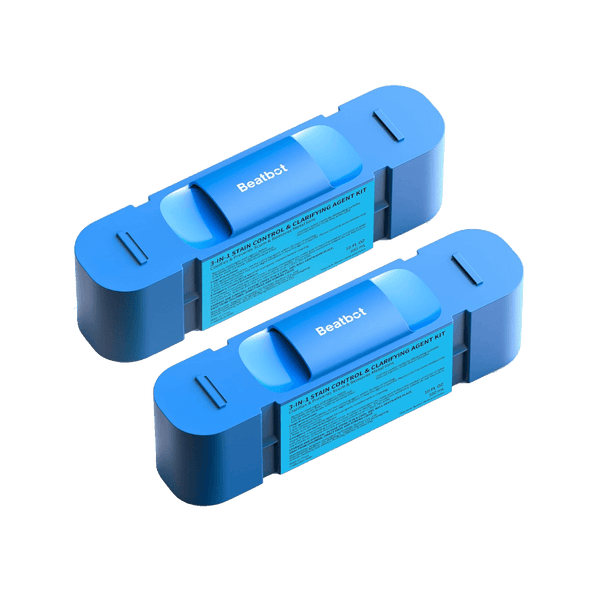
Its ClearWater Clarification System dispenses a chitosan-based clarifier that binds dirt, oils, and microscopic particles into larger clumps the filter and the robot can capture, which directly addresses the fine particulate that escapes routine pool filtration and feeds chronic chlorine demand. One 300ml kit treats up to 99,000 gallons.
After an algae recovery, the water also carries large volumes of dead algae and fine particulate that overwhelms most pool filters and gets re-suspended every time the pump runs.
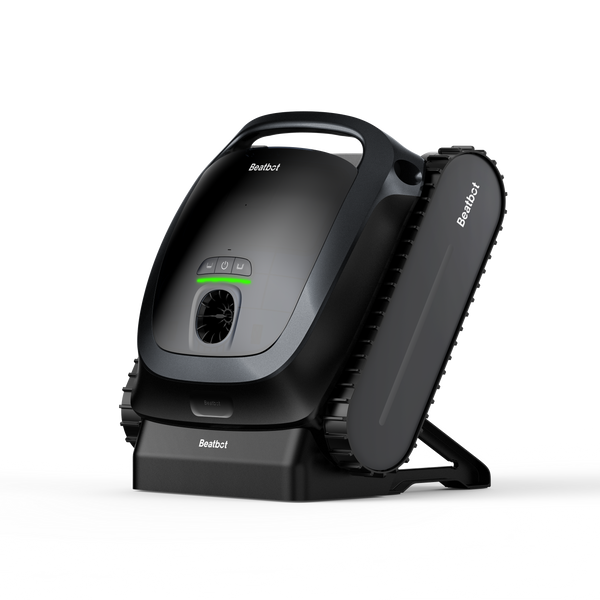
The Beatbot Sora 70 robotic pool cleaner runs on its own 7800mAh battery independently of the pool pump, with a 6L debris basket and 150-micron filtration that captures dead algae, leaves, and sediment in a single cycle. An optional 3-micron ultra-fine filter handles the fine cloudy residue that 150-micron media leaves behind, polishing water clarity faster than waiting on the main pool filter alone.
Salt Chlorinator Won't Turn On or Has No Display
A blank display or unresponsive controls almost always trace to the power supply or the controller itself. Work through the checks below in order before assuming internal damage.
GFCI Outlet or Circuit Breaker
A tripped GFCI looks identical to a normal outlet. Press the reset button even if it appears unpowered. For hardwired systems, check the circuit breaker panel. A breaker that trips again immediately indicates a wiring fault or equipment short that needs professional evaluation.
Internal Fuse or Reset
Many generators have a built-in fuse or internal reset button as secondary protection against power surges. If wall power is confirmed good but the unit shows nothing, locate the fuse per the manual. Repeated fuse failures point to a power quality issue or internal component fault.
Partial Display or Unresponsive Controls
A partially lit display or buttons that produce no response indicate a damaged display or control board rather than a power supply problem. Contact the manufacturer with the model and serial number for repair or replacement options.
Overheated Electronics
If the controller housing is very hot and the unit has stopped, internal thermal protection may have triggered. Allow it to cool for one to two hours. Ensure the controller is not mounted near a heater, in direct sun without ventilation, or in an enclosed space that traps heat.
No Flow or Low Flow Error
The generator will not operate without confirmed flow, since running the cell dry would damage it.
Clogged Baskets, Filter, or Pump
The most common cause is restricted water movement from a clogged skimmer basket, pump basket, or dirty filter. Elevated filter PSI above normal baseline is a reliable indicator. Clear all baskets and backwash or clean the filter before investigating the flow switch.
Flow Switch Issues
The flow switch requires at least six to twelve inches of straight pipe before it to read flow accurately. Too close to an elbow, turbulent water can prevent it from tripping at adequate flow. Test by removing the switch and manually activating it: the error should clear immediately when triggered and return when released. A switch that does not behave this way is faulty and should be replaced.
Variable-Speed Pump at Low RPM
At lowest programmed speeds, some pumps do not produce enough flow to trigger the flow switch. This typically appears as overnight or early-morning errors that clear once the pump shifts to a higher speed. Raise the minimum RPM in 200 to 300 RPM increments until errors stop.
Preventive Maintenance for Salt Chlorine Generators
Most generator failures trace back to four controllable variables: cell condition, salinity, water chemistry, and organic load in the water. Keeping each within the ranges given in the Target Ranges table turns recurring problems into rare ones.
Cell Inspection and Cleaning Schedule
Inspect the cell every three to four weeks during swim season. Clean at the first sign of buildup rather than waiting for an error. A cell with light deposits cleaned regularly requires only a short soak; one with heavy buildup may already have reduced plate efficiency by the time it triggers an error.
Salt Level Monitoring
Test salinity monthly with a kit, not from the generator's display alone. A display reading is unreliable when the cell has any scale, since scale raises resistance and causes underreporting.
Water Chemistry Balance
Test pH, CYA, calcium hardness, and phosphates weekly during peak season and adjust promptly using the Target Ranges table. Letting pH drift above 7.8 accelerates cell scaling and reduces chlorine effectiveness simultaneously, two compounding problems that are both preventable with a single pH adjustment.
Cell Replacement Planning
As the cell approaches the upper end of its lifespan, cleaning frequency will increase and eventually persistent errors will not resolve through cleaning alone. At that point, confirm all other checks are clear, then replace the cell.
FAQs
How long does a salt chlorine generator last?
Most residential salt chlorine generators last 7 to 10 years overall, with the cell itself lasting 3 to 8 years depending on usage hours and water chemistry. Cells in pools with high calcium hardness or pH consistently above 7.8 wear faster from frequent acid cleaning.
How do I reset my salt chlorinator?
Turn the generator off at the control panel or breaker, wait at least one minute, then power it back on. The system will clear non-persistent error codes and re-test itself. If the error returns, the underlying cause has not been resolved and reset alone will not fix it.
How do I test if my salt chlorinator is working?
Confirm the control panel shows normal operation with no error lights. Test free chlorine in the pool with a kit; a working generator at adequate output should hold 1 to 3 ppm. Independently test salinity to compare against the generator's display reading.
How can I tell if my salt cell is clogged or scaled?
Remove the cell and inspect the titanium plates. White or yellowish deposits between or on the plates indicate scale. Place the cell in a fresh acid cleaning solution. Fizzing confirms scale is present and the cell needs cleaning.
At what temperature does a salt chlorine generator stop working?
Most salt chlorine generators reduce or stop chlorine production below 50°F to protect the cell plates from accelerated wear in cold water. Optimal operating temperature is 60°F or above. Some models display a temperature alert when the water is too cold for normal output.
Can I use vinegar to clean a salt cell instead of muriatic acid?
Vinegar can dissolve very light scale on a salt cell but works far more slowly and weakly than muriatic acid. For routine cleaning of moderate or heavy buildup, diluted muriatic acid is the standard.
Can I swim while the generator is showing a warning light?
Test free chlorine first. Between 1 and 10 ppm, the pool is safe regardless of the warning light. Below 1 ppm, wait until chlorine is restored before swimming.
Why does my salt reading jump after I add salt?
The display can spike temporarily as undissolved salt passes near the cell. Allow 24 hours of pump operation after adding salt, then retest with a kit for an accurate reading.


